Saturday, May 28, 2011

make your phone your wallet


Coming soon: make your phone your wallet


Today in our office, along with Citi, MasterCard, First Data and Sprint, we gave a demo ofGoogle Wallet, an app that will make your phone your wallet. You’ll be able to tap, pay and save using your phone and near field communication (NFC). We’re field testing Google Wallet now and plan to release it soon. 

Google Wallet is a key part of our ongoing effort to improve shopping for both businesses and consumers. It’s aimed at making it easier for you to pay for and save on the goods you want, while giving merchants more ways to offer coupons and loyalty programs to customers, as well as bridging the gap between online and offline commerce.

Because Google Wallet is a mobile app, it will do more than a regular wallet ever could. You'll be able to store your credit cards, offers, loyalty cards and gift cards, but without the bulk. When you tap to pay, your phone will also automatically redeem offers and earn loyalty points for you. Someday, even things like boarding passes, tickets, ID and keys could be stored in Google Wallet.

At first, Google Wallet will support both Citi MasterCard and a Google Prepaid Card, which you’ll be able to fund with almost any payment card. From the outset, you’ll be able to tap your phone to pay wherever MasterCard PayPass is accepted. Google Wallet will also sync your Google Offers, which you’ll be able to redeem via NFC at participating SingleTap™ merchants, or by showing the barcode as you check out. Many merchants are working to integrate their offers and loyalty programs with Google Wallet.

With Google Wallet, we’re building an open commerce ecosystem, and we’re planning to develop APIs that will enable integration with numerous partners. In the beginning, Google Wallet will be compatible with Nexus S 4G by Google, available on Sprint. Over time, we plan on expanding support to more phones.

To learn more please visit our Google Wallet website at www.google.com/wallet.

This is just the start of what has already been a great adventure towards the future of mobile shopping. We’re incredibly excited and hope you are, too.

Tuesday, March 1, 2011

Search privately, Search securely.


Well after lots of research, first tym i hav been opposing a face of google for browsing :
juz hav a look on it :)
Search Data Privacy.
The sad/bad news for me this week was that our college has decided to block Facebook.com on all the campus computers. And you can’t imagine how angry I felt. I checked all the PC’s but it was blocked on all of them. And now I was more angry and I started searching for a proxy server that would allow me to access Facebook. I found many nice and wonderful proxies and many other sites that allow us to use and search the web without leaving a trace, one amongst them was the Startingpage.com.
Well this site is not a proxy to facebook.com but it is more than that, it is a search engine which doesn’t store user information and search data in their database. Startingpage.com provides private search results through Google.com. and the best thing about this site is that even Google.com will not keep your search data.
What’s the risk?
But you may think  “What will happen if Google or any search engine keeps my search data?. To answer this let me tell you what will happen. Search engines collect your personal data like your IP address, the search terms, time of your visit and the links you chose and they store these information in giant database. The searches that you make reveal a shocking amount of personal information about who you are, what you like and don’t like and even family conditions, your political thinking and much much more… and this information is Gold for marketers, government officials, hackers and criminals. if the government is using this information then it is OK but what if hackers and criminals get such information, they could probably know more about you than they must know and possibly hack your accounts (bank or email or facebook, like my friend Ankit Puri’s facebook was hacked and misused, and more recently Amit Agarwal’s ).
Proof???
And it had happened in august 2006 when AOL accidentally released three month’s worth of aggregated search data from 6,50,000 of its users, it published all the details in an online database. and the worst news is that it is still there at Aolstalker.com. (although the site claims that this data to be for research purpose, I ask, will the hackers be so polite?)
Now what? yes it is better to hide your information than to let it go in wrong hands.
Below is the screenshot of my google history service. you can see google even remembers which link I clicked in 2008, almost 3 years old click!!!.
Last word, friends what you think about such misuse and what are your thoughts about privacy. please let me know, waiting for your comments. 

Sunday, September 5, 2010

Introducing our new YouTube channel for Google Mobile

Well a beautiful thing which google has introduced is this.........

By now, some of you may have noticed our new Google Mobile YouTube channel, with a fresh look that includes a video box that rotates along multiple axes (we love the Rubik’s Cube here at Google). As you click on and discover more videos, we hope you’ll have fun checking out all the ways the box can turn.

In our channel’s “featured” section, we highlight some of our mobile search capabilities -- like search by voice, sight, and location -- that really help you take advantage of your phone’s unique technology. Since we understand that these represent new modes of searching for many of you, we’re going to launch some new videos that help illustrate the variety of practical and fun ways that you can use these features. To start with, check out our “Shoot This” series of videos for Google Goggles. Goggles can actually recognize much more than just bar codes and book covers, and these videos really let you take Goggles for a test drive. You can navigate through these videos by clicking on the embedded annotations to fast-forward or rewind.

When looking at “all apps,” you can not only check out any of our latest videos at a glance, but also quickly sort them by mobile platform or by app.
We’ve also made it easier for you to share videos by email or through popular social networking sites.

We hope you enjoy trying out our new Google Mobile YouTube channel. We’ll be adding many more new videos, so please visit youtube.com/googlemobile and subscribe. Also, if you’ve already subscribed to our old channel, note that you need to subscribe to the new one separately.


Google Finance smartens up for your smartphone

Tuesday, August 24, 2010 | 8:09 PM
(Cross-posted from the Google Finance blog)

Here on the Google Finance team, we’re always looking for new ways to help you access the finance data, charts, and reports that you need in the blink of an eye. But all the data in the world won’t help if you can’t access it when you need it most. Since many of us are on the run throughout the day and don’t always have our computers in front of us, it came as no surprise that one of users’ most frequently requested features was a fast, easy-to-use mobile website for Google Finance.

We heard your feedback and are please to announce we’ve launched the new Android/iPhone edition of Google Finance for mobile! The markets don’t stop when you leave your desk, so we’re bringing the markets to you. Our new design gives you a unified experience acrossdesktop and Android or iPhone phones, offering nearly all the same features and functionality on both. You can easily access the new site when you do a Google search for stock tickers or company names on your mobile device, or when you tap the "Finance" tab on the Google mobile homepage.


Now no matter where you are, you can keep up with your portfolio, the latest market news, and the sectors you care about, with real time quotes and data -- all at a glance.

Prefer it in app form? Android users can also get the Google Finance app in Android Market.

As always, if you have feedback on this or other topics, please share it on our Google Finance survey or visit our Product Ideas site where you can share and vote on ideas.

For more tips and tricks on Google Finance, follow us on Twitter.

Posted by Brian Shih, Product Manager

Dive into the ocean with Google Earth for Android

Monday, August 23, 2010 | 2:48 PM
(Cross-posted from Google LatLong)

Especially during the summer months, staring out into the ocean leads to daydreams of sailing the open water, freedom and exploration. Now you can take three-quarters of this vast planet - the ocean - with you on your mobile device by downloading the new Google Earth 1.1 for Android.


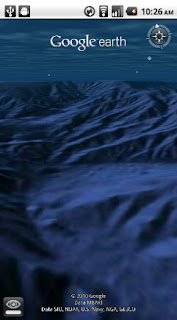
With the release of this feature, escape the hustle and bustle of life on land and discover the marine world using Google Earth on your mobile device. Now, you can check out the landscape and terrain in Monterery Bay Canyon, which is larger than the Grand Canyon, by zooming in on Google Earth below the ocean surface just off the coast. Once underwater, we can use the “look around” button to tilt the view and see the extent of this great undersea canyon.

The latest version of Google Earth for Android also introduces the “Explore the Ocean” layer, which features hundreds of photos and videos from more than 100 contributors who are excited to share their stories of sea. Plan your next vacation during your daily commute by clicking on any of the little blue icons. The gold highlighted icons represent content from the Mission Blue Hope Spot initiative.


For those of you running Android 2.2, there are some more treats in store. Google Earth now supports Flash in balloons, so if you have the Flash player installed on your mobile device, you can watch videos right in the balloon. We’ve also made the program easier to navigate; for most devices, you can now use two fingers to “look around” and change your viewpoint, as an alternate to using the on-screen button. This makes it even easier to tilt your view to see mountainous landscapes or underwater canyons. Rotating your view with a simple twist of your fingers is now available on more devices as well.

Google Earth for Android 1.1 is available in Android Market today for most Android devices running version 2.1 or later. Explore the ocean anywhere.
qrcode

Posted by Jenifer Austin Foulkes, Product Manager

Google Mobile App for iPhone gets pushy

| 10:00 AM
Ever missed an appointment or important email because you were away from your desk? Now Google Mobile App can help with push notifications from your Google account to your iPhone -- an icon badge shows you’ve got new mail in Gmail, and Google Calendar event reminders appear right on your home screen.


We’ve also added spiffy features to get you information faster -- when looking for flight info, weather, stock quotes or currency conversion you’ll see answers before you even hit ‘Search’.


You can get the update from the App Store by searching for ‘Google Mobile App’.

If you have any questions or comments, or if you want to learn more, please visit our help center.

Update 8/24 5:00 PM PST:
  • You will only receive pop-up messages and sound/vibration for calendar alerts - new email is shown using the unread count on the Google Mobile App icon and in the apps tab.
  • To ensure you get alerts go to the Settings > Google Accounts panel inside Google Mobile App and switch on the notifications you'd like to receive. If you initially didn't allow Google Mobile App to receive push notifications when prompted, you can enable the feature again in the iOS Settings' application's Notifications panel.

To 100 million and beyond with Google Maps for mobile

Thursday, August 19, 2010 | 11:50 AM
Almost five years ago, we launched Google Maps for mobile to help you get where you needed to go from your phone instead of a paper map. Today, more than 100 million people a month are now using Google Maps for mobile to get from point A to point B, find nearby places, and more.

Over the past five years, Maps for mobile has changed quite a bit, adding more ways to help you explore the world around you. With My Location, you can quickly find where you are on the map with or without GPS. You can put your friends on the map with LatitudeNavigationeven turns your phone into a free internet-connected navigation system with voice guidance and Street View imagery.

Google Maps for mobile through the years (click to see larger image).

Lately, we’ve been especially focused on helping you find the right place at the right time. With recent additions such as Place Pages, you can now pick a nearby place by browsing information such as opening hours and review snippets for the places around you. It’s easier than ever to find those places with Search by voice or the new Places icon on Android. With this latest Android version, we’re happy to see that you’re now searching for places almost three times as often, doubling how many Place Pages are seen a day.


Search result page for Java-enabled phones in 2005 (left) and Place Page for Android-powered devices in 2010 (right). 


Search experience in 2005 (left) and Places for Android-powered devices in 2010 (right).


We hope this is just the start of how Google Maps for mobile will continue to evolve and let you explore the world right from your phone. We’re always inspired by how you’re using Maps, and we’d love to hear about a time when you found the nearest mechanic for a flat tire or discovered that hidden gem of a burger joint. If you have a Google story about when Maps for mobile has helped you, please tell us about it. You can also share quick stories on Twitter@googlemobile, and we’ll share our favorite ones. From all of us here on the Google Maps for mobile team, 100 million thank yous for getting your Google Maps to go!

If you’re a business owner, help millions of people find you by claiming your free Place Page available in Google Maps and our most used mobile “app” -- Google Search. Get started atplaces.google.com/businesses.

The Iterative Web App: New Stacked Cards Interface for Gmail on iPad.

Wednesday, August 18, 2010 | 3:30 PM
In April 2009, we announced a new version of Gmail for mobile for iOS and Android. Among the improvements was a complete redesign of the web application's underlying code, which allows us to more rapidly develop and release new features that users have been asking for, as explained in our first post. Today’s topic for the The Iterative Web App, a series where we continue to release features for Gmail for mobile, is the Stacked Cards Interface on the iPad.

When we announced our new interface for Gmail on the iPad, we requested feedback on how we could improve this experience for tablet devices. In June, we responded with a new compose screen. Today, we’re addressing the top feedback by launching a new “stacked card” interface for selecting and managing multiple conversations.


In the past, performing actions on selected conversations was awkward. There were two similar toolbars on the screen: one on the bottom left and the other on the top right. The former affected the selected conversations, while the latter affected the currently open conversation. Since the toolbars’ buttons looked similar, it was easy to mistakenly use the wrong toolbar. Sound confusing? It was.

In the new interface, selected conversations are displayed stacked on the right panel for easy organizing, archiving or deleting. The second toolbar is gone so it’s always clear which conversations you’re working with.

This new interface has also been an opportunity for our team to experiment with CSS3 transitions, which give mobile web applications a similar look and feel to native applications. More details on the implementation are posted on the code blog.

To try the Gmail webapp on the iPad, just go to gmail.com in Safari. For quick access, create a homescreen link. Please note that the new interface is only available in US English for now.

Just speak it: introducing Voice Actions for Android

Thursday, August 12, 2010 | 10:26 AM
(cross-posted with the Official Google Blog)

Our mobile phones have become modern-day Swiss Army knives. An Android phone is a handheld computer, a music player, a notepad, a GPS navigation unit and more, all rolled into one sleek device that fits in your pocket. Today’s phones do so many things for us that sometimes we don’t even think about how we do them.

Even though our phones do all these new things, the most natural way of interacting with a phone remains what it always has been: speaking. And to that end, we’re pleased to introduce Voice Actions for Android. Voice Actions are a series of spoken commands that let you control your phone using your voice. Call businesses and contacts, send texts and email, listen to music, browse the web, and complete common tasks, all just by speaking into your phone.

To use Voice Actions, tap the microphone button on the Google search box on your home screen, or press down for a few seconds on the physical search button on your phone to activate the “Speak Now” screen. Let Mike LeBeau, the lead engineer for Voice Actions, show you in this video.


Speak any of these commands to perform a Voice Action on your phone:
  • send text to [contact] [message]
  • listen to [artist/song/album]
  • call [business]
  • call [contact]
  • send email to [contact] [message]
  • go to [website]
  • note to self [note]
  • navigate to [location/business name]
  • directions to [location/business name]
  • map of [location]
And of course, you can still conduct a Google search using your voice.


While we’re at it, we’re also releasing an updated version of the Google search widget for Android. When you type a local search query, like [italian restaurants] you’ll see suggested restaurants with addresses and ratings. Also, as you type queries, you can refine them further by tapping the pencil icon that appears to the right of search suggestions.

Both Voice Actions and the new Google search widget require Android 2.2 (Froyo), and will be pre-installed with the new Droid 2 phone from Motorola and Verizon. Voice Actions are currently available for U.S. English speakers.

If you have another phone with Android 2.2 (like the Nexus One, HTC Evo or the original Droid), you’ll need to download several app updates from Android Market to get all the latest goodness:
  • Voice Search (this app includes Voice Actions)
  • Google Search widget
  • music apps (e.g. Pandora, Last.fm, Rdio, mSpot)
To get started fast, scan the QR codes for these apps below.

We think Voice Actions help you get things done on your phone faster and easier. Give it a try, and let us know what you think!


REF : OFCOURSE GOOGLE... LOL ( Official Blog)

Wednesday, July 28, 2010

Google Videos

Brand GOOGLE VIDEO...

NEW TO HEAR , WELL THIS IS ALL ABOUT :-

Google Videos is a free video sharing website and also a video search engine from Google Inc. Google Videos allows selected videos to be remotely embedded on other websites and provides the necessary HTML code alongside the media, similar to YouTube. This allows for websites to host large amounts of video remotely on Google Videos without running into bandwidth or storage capacity issues.
The service was launched on January 25, 2005.[1] On October 9, 2006 Google bought former competitor YouTube. Google announced on June 13, 2007 that the Google Videos search results would begin to include videos discovered by their search crawlers on other hosting services, in YouTube and user uploads.[2] Search result links now open a frameset with a Google Videos header at the top, and the original player page below it, similar to the way the Google Images search results are presented. In 2009, Google discontinued the ability to upload videos to Google's web servers.[3]

Video content
Google Videos is geared towards providing a large archive of freely searchable videos. Besides amateur media, Internet videos, viral ads, and movie trailers, the service also aims to distribute commercial professional media, such as televised content and movies.
A number of educational discourses by Google employees have been recorded and made available for viewing via Google Videos. The lectures have been done mainly at the employees' former universities. The topics cover Google technologies and software engineering but also include other pioneering efforts by major players in the software engineering field.
Various media companies offered content on Google Videos for purchase, including CBS programs, NBA, music videos, and independent film. Initially, the content of a number of broadcasting companies (such as ABC, NBC, CNN) was available as free streaming content or stills with closed captioning. In addition, the U.S. National Archive used Google Videos to make historic films available online, but this project was later discontinued.[4]
Google Videos also searches other non-affiliated video sites from web crawls. Sites searched by Google Videos in addition to their own videos and YouTube include GoFish, ExposureRoom, Vimeo, MySpace, Biku, and Yahoo! Video. It appears that Google Videos is moving away from an online video archive and toward a search engine for videos, similar to their web and image searches.
As of August 2007, the DTO/DTR (download-to-own/rent) program ended. Users who previously purchased a video from Google Videos were no longer able to view them. Credits for users were made available as values for Google Checkout and were valid for 60 days.


Google Video Player

As of August 17, 2007, Google Video Player has been discontinued and is no longer available for download from the Google Videos website. The option to download videos in GVI format has also been removed, the only format available being iPod/PSP (MP4 format).Google Video Player was another way to view Google videos; it ran on Windowsand Mac OS X. The Google Video Player plays back files in Google's own Google Video File (.gvi) media format and supported playlists in "Google Video Pointer" (.gvp) format. When users downloaded to their computers, the resulting file used to be a small .gvp (pointer) file rather than a .gvi file. When run, the .gvp file would download a .gvi (movie) file to the user's default directory.
While early versions of Google's in-browser video player code were based on the open source VLC Media Player, the last version of Google Video Player was not based on VLC, according to its readme file. However, it did include the OpenSSLcryptographic toolkit and some libraries from the Qt widget toolkit.[9]

[edit]GVI format and conversion

Google Video Files (.gvi), and latterly its .avi files, are modified Audio Video Interleave (.avi) files that have an extra list containing the FourCC "goog" immediately following the header. The list can be removed with a hex editor to avoid playback issues with various video players.[10][11] The video is encoded in MPEG-4 ASP alongside an MP3 audio stream. MPEG-4 video players can render .gvi Google Video Files without format conversion (after changing the extension from .gvi to .avi, although this method of just renaming the file extension does not work with videos purchased with DRM to inhibit unauthorized copying. Among other software VirtualDub is able to read .gvi files and allows the user to convert them into different formats of choice. There are also privately developed software solutions, such as GVideo Fix, that can convert them to .avi format without recompression. MEncoder with "-oac copy -ovc copy" as parameters also suffices.

Criticisms

Google Videos has little organization of content and no noticeable pricing scheme.[13][14] However, pay content (available currently in the United States only) is arranged in a few categories. A video ranking in the form of a Top 100 has been introduced and the official Google Video Blog features "Google Picks" (videos considered noteworthy by Google) on a regular basis. "Google Picks" are currently also available via the Google Videos homepage.
The strategy for Google Videos has shifted dramatically from an initial focus on digitizing offline content, akin to Google BookSearch, to then later focusing on fee-based downloads akin to iTunes, to then later focusing on social networking features akin to YouTube.[citation needed]Despite constant product development and business development churn, Google Videos had never attained market leadership in the online video space at the time when Google acquired YouTube.[citation needed]
Google Videos currently doesn't display the username under which videos on the service were uploaded.


AVI and MP4

Besides GVI and Flash Video, Google provided its content through downloadable Audio Video Interleave (.avi) and MPEG-4 (.mp4) video files. Not all formats are available through the website's interface, however, depending on the user's operating system.
Where available, Google's "save as" function for Windows/Mac produced an .avi file, while the "save as" function for iPod and PSP produced an .mp4 file.
The .avi file is not in standard AVI format. To play the file in a popular media player such as Winamp or Windows Media Player, the file must first be modified using a hex editor to delete the first LIST block in the file header, which starts at byte 12 (000C hex, first byte in file is byte 0) and ends at byte 63 (003F hex).[10][11] Optionally, the file length (in bytes 4 to 7, little endian) should then be amended by subtracting 52 (3F hex - 0C hex = 33 hex).
Winamp and Windows Media Player cannot play the unmodified .avi file because the non-standard file header corrupts the file. However,Media Player Classic, MPlayer and the VLC Media Player will play the unmodified .avi file, and the Google .mp4 file. Media Player Classic only if an MPEG-4 DirectShow Filter such as ffdshow is installed. Most Linux media players xine, Totem, the Linux version of the VLC Media Player and Kaffeine have no problems with Google's .avi.
An .mp4 file will play in Winamp if an MPEG-4/H.264 DirectShow Filter such as ffdshow and an MP4 Splitter such as Haali are installed, and the extension ;MP4 is added to the Extension List in the Winamp DirectShow decoder configuration.
As of Spring 2008, the option to download files in .AVI format has been removed, and files are only available as Flash video or .MP4, while the same videos when accessed through the companion YouTube.com site are available only in Flash video format.

[Third-party download services

Google offers users the means to save only some of the videos on the site, mostly for copyright reasons. Their documentation goes so far as to claim that only these videos can be downloaded. However, since viewing a video requires downloading it to the computer, their software merely makes it an inconvenience to save downloaded videos on the computer. A number of solutions to this problem, including external software and bookmarklets, have been developed.

Reference : Google.com {offcourse}

Wednesday, March 31, 2010

HIDDEN FREATURES IN GMAIL.

Well after a couple of dayz m bak with a new post of mine.
Its nothing but hidden features in gmail, There are unlimited hidden features in GMAIL, Which can help the user alot.
here is some hapennin features :


Two Less known tricks for Gmail users


You see! when they say that Gmail is the best, they say it for a reason. Yesterday, the official Gmail blog shared two interesting hidden features about Gmail that most people still don't know about. The basic story is that when you register an email address with Gmail, say myemail@gmail.com, you get a whole set of multiple email addresses which are a subset of the your base email address.

Gmail Hidden Trick # 1

You can append a plus ("+") sign and any combination of words or numbers after your email address. Like if you have an email, say myemail@gmail.com, you can use myemail+friends@gmail.com or myemail+office@gmail.com to let users send a mail to your myemail@gmail.com account and then you could set up a filter to automatically star, archive or label emails different incoming emails. Here is a tutorial by Google on how to setup a filter :
Using filters
Print

Gmail's filters allow you to manage the flow of incoming messages. Using filters, you can automatically label, archive, delete, star, or forward your mail, even keep it out of Spam -- all based on a combination of keywords, sender, recipients, and more.

To create a filter:

1. Click Create a filter (next to the Search the Web button at the top of any Gmail page).
2. Enter your filter criteria in the appropriate field(s).
3. Click Test Search to see which messages currently in Gmail match your filter terms. You can update your criteria and run another test search, or click Next Step.
4. Select one or more actions from the list. These actions will be applied to messages matching your filter criteria in the order in which the actions are listed -- for example, you could choose to Forward matching messages to a specific email address, then Delete the messages. Note that if you choose to forward messages to another address, you'll need to first verify that you own any new forwarding addresses.
5. If you'd like to apply this filter to messages already in Gmail, select the Also apply filter to x conversations below checkbox.
6. Click Create Filter.

To create a filter from within a message:

1. Click the drop-down menu next to Reply.
2. Select Filter messages like this.
3. Enter your filter criteria in the appropriate field(s).

To edit or delete existing filters:

1. Click Settings (at the top-right of any Gmail page).
2. Click Filters.
3. Find the filter you'd like to change and click its edit link, or click delete to remove the filter.
4. If you're editing the filter, enter the updated criteria for the filter in the appropriate fields, and click Next Step.
5. Update any actions and click Update Filter.

You can create an unlimited number of filters, but only 20 filters can forward to other addresses. You can maximize your filtered forwarding by combining filters that send to the same address.

Gmail Hidden Trick # 2

You can use one or several dots (".") anywhere in your email address. Basically you are allowed to do this because Gmail doesn't count periods or dots as characters so it would treat your email the same way no matter where you put the dot. For example your email, say myemail@gmail.com, can be used with the following variations

* my.email@gmail.com
* mye.mail@gmail.com
* my.e.mail@gmail.com

and luckily Gmail will recognize and send all the email sent to these addresses to your base account.

NJOY !!!!!

Thursday, March 4, 2010

GOOGLE TALK

GOOGLE TALK : SIMPLE AND BEST CHATTING & IM :

Google Talk (GTalk) is a free Windows and mac web-based application for instant messaging and voice over internet protocol (VOIP), offered by Google Inc. The first beta version of the program was released on August 24, 2005.
Instant messaging between the Google Talk servers and its clients uses an open protocol, XMPP, allowing users of other XMPP/Jabber clients to communicate with Google Talk users. VoIP in Google Talk uses an older version of what would later become the Jingle protocol. The technology used within the Google server network however is not publicly known.
The Google Talk client is only available for Microsoft Windows (2000, XP, Server 2003, Vista and Windows 7), but Google Chat (voice and video chat) is now available for PCs and Intel-based Macs. Google Talk mobile clients are also available for the Palm Pre, BlackBerry, iPhone and Android-based devices. With the release of the Google Talk gadget, users of all platforms supported by Adobe Flash Player can also use Google Talk.[1] Many other XMPP clients are compatible with Google Talk, and support a variety of other platforms.
This IM is a unique one which has no advertisment.

History

The idea of an XMPP-based Google IM service was proposed by Eoban Binder on the website Applexnet.com on August 23, 2004.[15]
Exactly one year later, after the rumor of a Google-branded "communications tool" service had been reported by the New York Times[16] and detailed by the Los Angeles Times on August 22, 2005, the subdomain talk.google.com was found to have an active XMPP server.[17] Two methods of logging into the server were discovered soon after and the ensuing response by eager bloggers revealed to numerous others how to login before the official release by Google.
On the evening of August 23, many logged-in users using port 5222 to connect were disconnected and unable to log back in. Users using port 5223 to connect were still able to log in, and at 04:12:52 UTC those users received a broadcast instant message from gmail.com, an apparently official username used by Google to communicate with their user base, that stated "The broken link has been fixed. Thanks for being our first users!" Port 5222-connectivity was found to have been re-enabled. On August 24, Google Talk was officially launched.
On December 15, 2005, Google released libjingle, a C++ library to implement Jingle, "a set of extensions to the IETF's Extensible Messaging and Presence Protocol (XMPP) for use in voice over IP (VoIP), video, and other peer-to-peer multimedia sessions."[18] Libjingle is a library of the code that Google uses for peer-to-peer communication, and was made available under a BSD license.[19]
On February 7, 2006, Gmail added the ability to chat with a built-in XMPP client.
On March 14, 2007, Google released the Google Talk Gadget, an Adobe Flash-based Talk module that can be added to iGoogle (formally the Google Personalized Homepage) or embedded in any web page, thus, allowing one to chat from any operating system which is supported by Adobe Flash Player as long as Adobe Flash Player is installed.[20]
On November 26, 2007, Google Talk released Group Chat capabilities. Prior to this, users could only chat with one person per window. Group chat allows many users to chat with each other in an environment similar to IRC.
On December 6, 2007, Google upgraded its Gmail integrated chat to include AOL Instant Messenger chat capability. This allows Gmail users to sign into the AIM chat service and communicate with any AIM user while still being signed on to the Google Talk service. The Google Talk gadget and client have not been upgraded to enable this feature yet, and no announcement has been made as to when it will be made available.
On February 25, 2008, Google added a feature called chatback, which allows a Google Talk account owner to chat with people who don't have one. The account owner first has to create a badge, which can be included in webpages. This badge shows the current availability of the owner. Clicking on the badge results a chat request notification to the owner who can respond by clicking on the specified URL. During the conversation both parties have to use the Google Talk Gadget and both parties remain anonymous to each other, even the Google Account name of the owner is not revealed to the other peer.
On November 11, 2008, Google Chat (voice and video chat) was launched: it became possible PCs and Intel-based Macs.[6]
On July 7, 2009, Google Talk was announced out of beta along with Gmail, Google Docs and Google Apps.

Voicemail and file-sharing
On July 28, 2006, Google added voicemail and file sending capabilities to the Google Talk client. Voicemail messages can be 10 minutes long, and they're delivered to the contact's mailbox as an attached MP3 file (11 kHz mono 24kbit/s). Recipients who use Gmail are offered better integration. Gmail recognizes that it is a voicemail message, and users can choose to stream the file using the integrated MP3-playing applet, or to download the MP3 file.

Thursday, January 14, 2010

Use Gmail when u r offline.......

Hey m bak with new post :
Use Gmail when u r offline.......... :)
google Rocks....
It works....

Installing Gmail offlinePrint
Now, you can read and send messages while you're offline. Just follow these steps to set up your offline access:

From your inbox, click the Offline link.
You'll see a prompt from Gears to start downloading your messages onto your computer. If you don't have Gears installed, Gmail will help you install it (you can also download it here). You may need to restart your browser after installing Gears. If you already have Gears installed (for example, to use Google Docs offline), you won't need to install it again, but you'll be prompted to allow permission for Gmail to access Gears. Click the allow link.
Your messages will be downloaded to your computer. Depending on the size of your account, this may take a while the first time, but you can check on your progress in the status box near the Settings link.
You can use Gmail normally while syncing. You don't have to wait for synchronization to finish before disconnecting from the internet. If you'd like, you can click the pause sync button to temporarily stop the sync process (it'll resume automatically if it's been paused for an hour). When you disconnect from the internet, the messages you've synchronized will be available immediately. Gmail will automatically continue syncing in the background whenever you reconnect to the internet.

Note: Offline Gmail works only on Microsoft Internet Explorer versions 7.0+, Mozilla Firefox versions 2.0+, Google Chrome, and Safari 3+. If you're using Google Chrome, you don't need to download or install Gears, as it's already installed on your browser.